AI Creativity Tool

Transform Your Visual Communication with AutoDraw AI

Professionals Lobby helps UAE businesses implement Google's AutoDraw AI for quick sketching, presentations, and visual communication - no design skills required

Rating 4.5/5
Price Free
Languages Multi-language
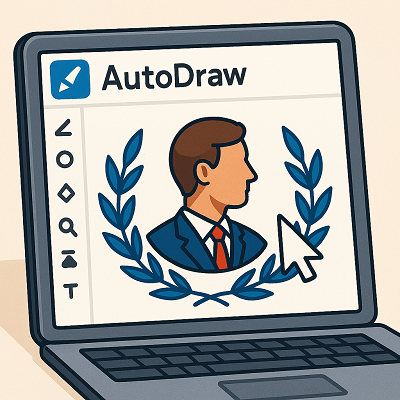
AutoDraw AI visual communication tool for business
Developed by Google

What is AutoDraw AI?

AutoDraw is a free AI-powered drawing tool developed by Google that pairs machine learning with drawings from talented artists to help you create visual content quickly. It's perfect for business professionals who need to communicate ideas visually but may lack advanced design skills.

AI suggests professional drawings as you sketch
Works on any device with a web browser
No downloads or installations required
Simple interface with essential drawing tools
Best For

Who Benefits Most from AutoDraw AI?

  • Educators & Trainers
  • Marketing Teams
  • Startup Founders
  • Project Managers
  • Business Consultants
  • HR & Recruitment
  • Students
Practical Applications

AutoDraw AI for UAE Businesses

How professionals in Dubai and across the UAE are leveraging AutoDraw AI

AutoDraw AI for education

Enhanced Learning Materials

  • Create visual aids for lessons instantly
  • Develop engaging worksheets and activities
  • Visualize complex concepts simply
  • Support students with different learning styles
  • Save time on creating teaching materials

Success Story:

Schools in Dubai reduced preparation time by 40% using AutoDraw AI to create visual teaching materials, allowing educators to focus more on student engagement.

AutoDraw AI for marketing teams

Quick Marketing Visuals

  • Create social media visuals in minutes
  • Develop quick concept sketches for campaigns
  • Visualize marketing ideas without designers
  • Brainstorm visually with team members
  • Create simple infographics and charts

Success Story:

Marketing agencies use AutoDraw AI to quickly visualize campaign concepts, reducing the time from idea to client presentation by 60%.

AutoDraw AI for business presentations

Engaging Business Presentations

  • Add custom visuals to slides quickly
  • Create simple diagrams and flowcharts
  • Illustrate concepts without stock images
  • Make presentations more memorable
  • Reduce dependency on design teams

Success Story:

Consultants improved client engagement by 35% by incorporating AutoDraw visuals into their presentations, making complex ideas easier to understand.

AutoDraw AI for training materials

Effective Training Materials

  • Create visual training guides
  • Develop onboarding materials quickly
  • Illustrate processes and workflows
  • Make SOPs more engaging
  • Support visual learners in training

Success Story:

Companies using AutoDraw for training materials reported 28% faster employee onboarding and better retention of information.

Professional Integration

How Professionals Lobby Enhances Your AutoDraw AI Experience

1

Workflow Analysis

We identify where AutoDraw can best enhance your visual communication processes

2

Team Training

Our experts train your team to maximize AutoDraw's potential for your specific needs

3

Integration Strategy

We help integrate AutoDraw with your existing tools and workflows

4

Best Practices

Teach advanced techniques for business applications of AutoDraw

Key Features

AutoDraw AI Capabilities

Explore what makes AutoDraw a powerful business tool

AI-Assisted Drawing

Core Feature
  • Real-time drawing suggestions
  • Recognizes hundreds of objects
  • Improves as you draw
  • Works with rough sketches
  • Multiple style options

Productivity Tools

Essential Features
  • Color fill and text tools
  • Shape recognition
  • Download/Share options
  • Works offline
  • Mobile-friendly

Business Applications

Professional Use
  • Presentation visuals
  • Process diagrams
  • Training materials
  • Brainstorming aid
  • Quick mockups

Note: AutoDraw is completely free to use with no premium plans. Professionals Lobby can help you maximize its potential for your specific business needs.

Your Questions

AutoDraw AI FAQ

Yes, AutoDraw is completely free with no hidden costs or premium plans. It's a web-based tool developed by Google that doesn't require any payment or subscription.

No, AutoDraw works entirely in your web browser with no downloads required. It's accessible at autodraw.com and works on computers, tablets, and smartphones.

Yes, drawings created with AutoDraw can be used commercially. However, it's recommended to review Google's terms of service for any specific restrictions.

AutoDraw is simpler than professional tools like Adobe Illustrator but much faster for quick sketches and basic visuals. It's ideal for non-designers who need simple graphics.

Yes, AutoDraw allows you to download your drawings as PNG files or share them directly via links. You can also copy them to clipboard for pasting into other applications.

Ready to Enhance Your Visual Communication?

Get expert guidance on implementing AutoDraw AI in your organization

Disclaimer

The information provided on this page is based on our research and experience with AutoDraw AI. Features and functionality may change over time. Professionals Lobby is an independent consultant and not affiliated with Google or AutoDraw. We strive for accuracy but welcome corrections if needed.

Not sure if AutoDraw AI is right for your business? Contact us for a free consultation. Our experts can help you identify the most suitable AI tools tailored to your specific business needs in the UAE market.